Modern PDF workflow
Convert PDF to Excel in the browser without installing software
TryPDF supports a browser-based PDF-to-Excel workflow for teams that want simpler software management, practical compliance support, and structured extraction from text-based PDFs.
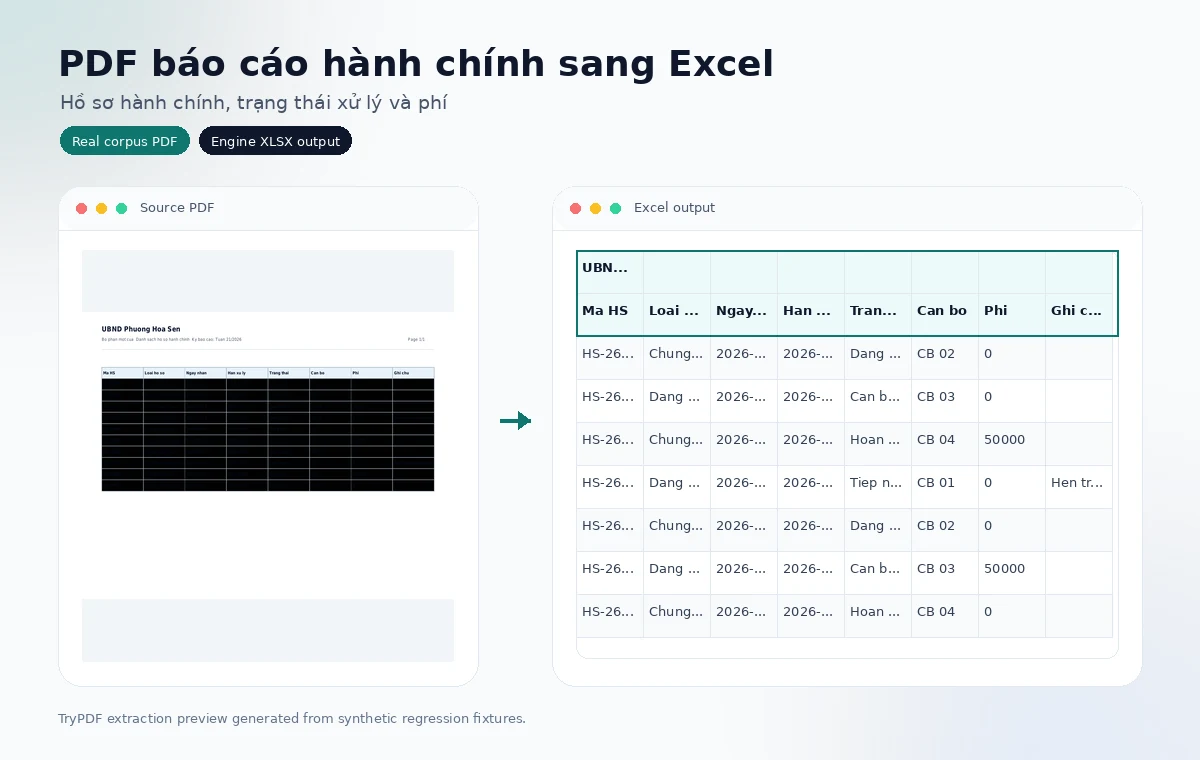
Built for private business documents
- Async conversion keeps large PDF processing out of the browser request.
- Source PDFs and Excel outputs are cleaned up automatically by retention jobs.
- The public page shows simple review guidance; detailed telemetry stays internal.
Popular use cases
High-intent PDF-to-Excel workflows
Choose the document family closest to your PDF to see examples, limitations, and how TryPDF preserves table structure.
Student score PDFs
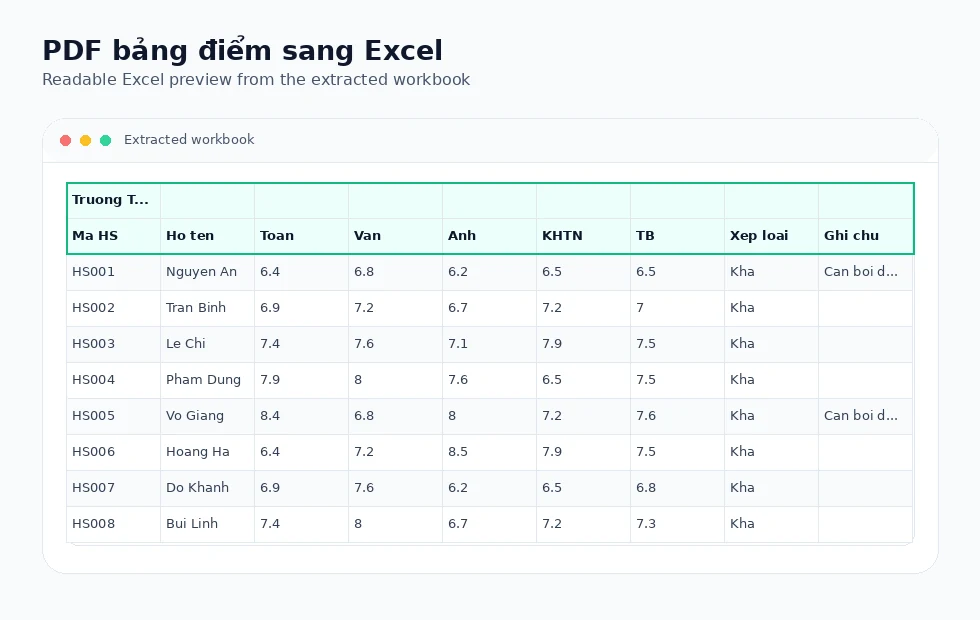
Convert grade tables, subject columns, averages, and notes into Excel for review.
Student lists and attendance
Handle class rosters and wide attendance tables without installing desktop software.
Lab result PDFs
Extract analyte, result, unit, reference range, and note columns from text-based reports.
Hospital billing PDFs
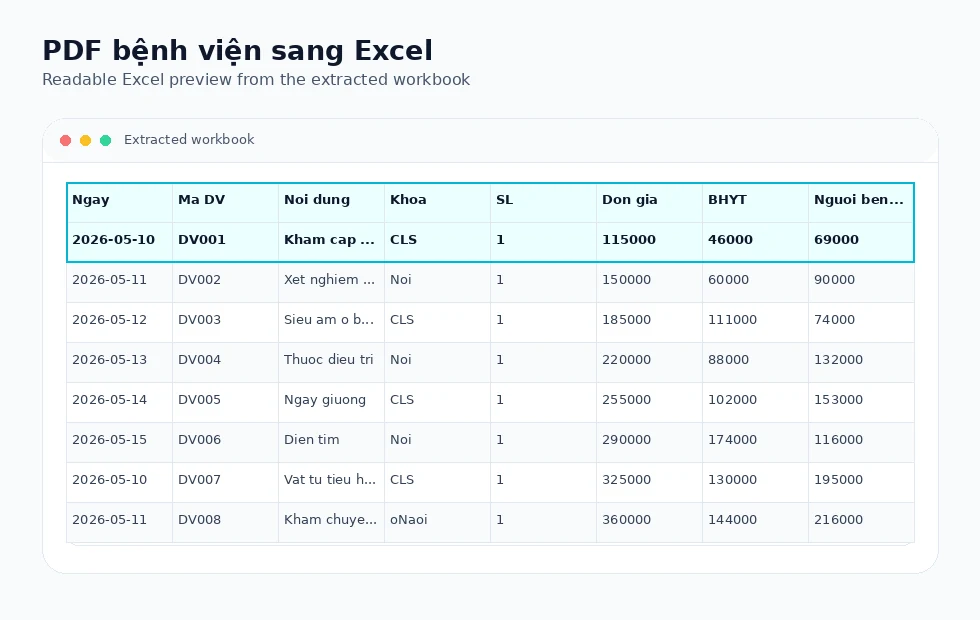
Review service rows, insurance columns, subtotals, and totals in Excel.
Landscape reports
Support wide tables, grouped headers, and operational exports.
All PDF to Excel workflows
Explore the full hub for education, healthcare, admin, and financial report pages.
Real extraction previews
Corpus-backed PDF to Excel examples
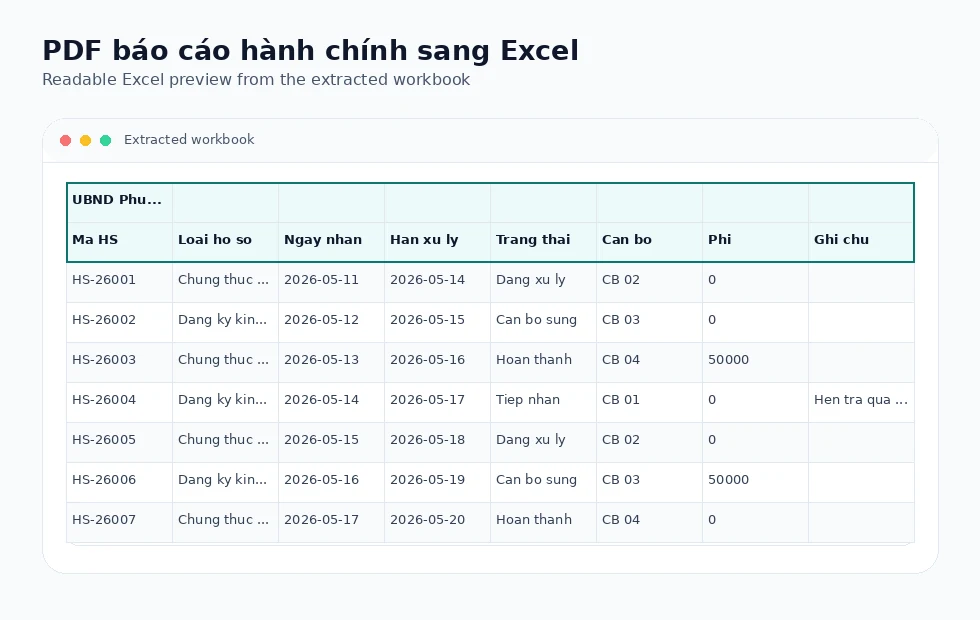
These visuals use synthetic regression PDFs and the actual Excel outputs produced by the TryPDF extraction engine.
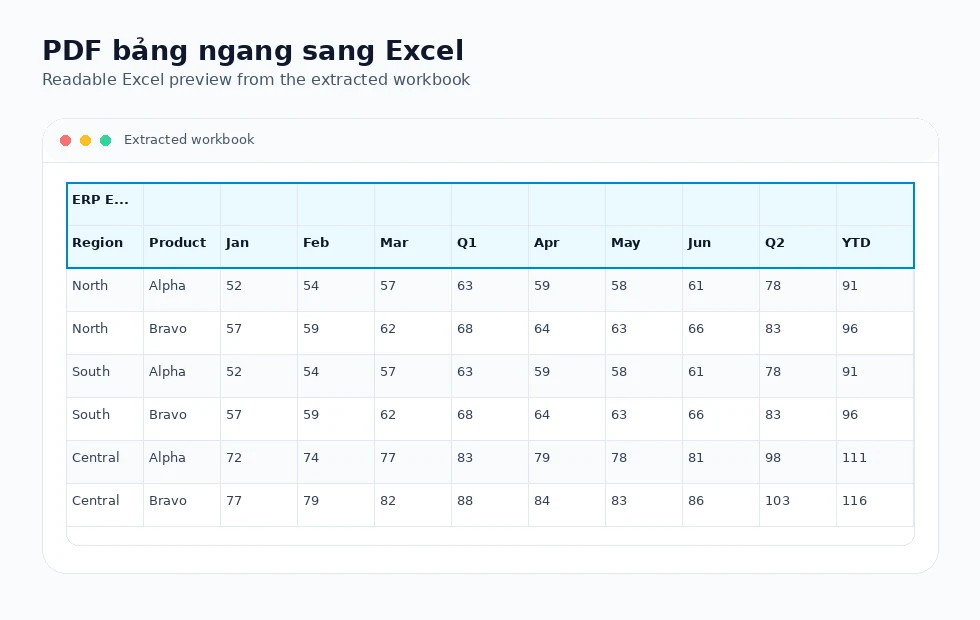
No per-machine installation
Users can open a browser, upload a text-based PDF, and download an Excel workbook after background processing.
Simpler software management
A web workflow reduces dependence on local desktop setup, manual updates, and different PDF tool configurations across devices.
Built for shared work environments
Schools, clinics, admin offices, and remote teams can use the same upload flow on modern browsers.
Extraction technology
Why browser-based PDF workflows help organizations
Instead of maintaining a PDF desktop workflow on every device, teams can use a consistent web process for text-based PDF tables while keeping compliance decisions under internal policy.
Simpler deployment
A browser workflow is easier to introduce across shared computers, classrooms, offices, and front-desk devices.
Compliance-friendly operations
Reducing local installations can make software inventory and policy review simpler, without making legal claims about any specific tool.
Text-based table extraction
TryPDF preserves rows, columns, grouped headers, merged cells, and document context when layout signals are reliable.
Vietnamese admin forms
The same extraction pipeline supports Vietnamese education, healthcare, and administrative PDF reports when they contain selectable text.
Supported layout families
Built for real PDF table structures
TryPDF is designed around common table layouts seen in school, clinic, hospital, and office PDF reports.
Grouped headers
Parent and child header rows can be preserved when the PDF exposes reliable table geometry.
Landscape reports
Wide exports with many columns are handled without asking users to choose a special mode.
Merged cells
Trusted merged title, header, and section cells are kept while suspicious body merges are treated carefully.
Multi-page tables
Repeated continuation headers can be cleaned when they clearly duplicate the first table.
Supported examples
- School score tables, student lists, and attendance reports
- Lab results, hospital billing details, and clinic admin lists
- Vietnamese administrative forms with organization, title, and reporting-period context
- Landscape tables, grouped headers, merged cells, and multi-page reports
Limitations to know
- This page is not legal advice and does not replace your organization's software policy.
- Image-only scanned PDFs require OCR, which is not enabled yet.
- Sensitive files should be handled according to your internal data rules.
Related workflows
Explore connected PDF-to-Excel use cases
Compare nearby conversion workflows when your document mixes invoices, statements, reports, or operational tables.
Try a no-install PDF to Excel workflow
Upload a text-based PDF and receive a structured Excel workbook you can review, filter, and edit.
Open PDF to Excel converterFrequently asked questions
Do users need to install software?
No. The public workflow runs in a browser. Users upload a text-based PDF and download the Excel file after processing completes.
Does this support Vietnamese administrative PDFs?
Yes, when the PDF has selectable text and clear table structure. TryPDF can preserve top document context such as organization, report title, and reporting period.
Can offices, schools, or clinics use it?
Yes. The browser workflow is suitable for modern office, education, healthcare, and administrative teams, subject to each organization's data policies.
Does it require a separate desktop license per machine?
TryPDF is a web workflow for PDF-to-Excel conversion and does not require installing a desktop PDF tool for this task. Specific software compliance decisions should follow your organization's policy.