Lab result PDF to Excel
Convert lab result PDFs into structured Excel tables
Extract text-based lab result tables into Excel while preserving analyte names, results, units, reference ranges, flags, machines, and notes.
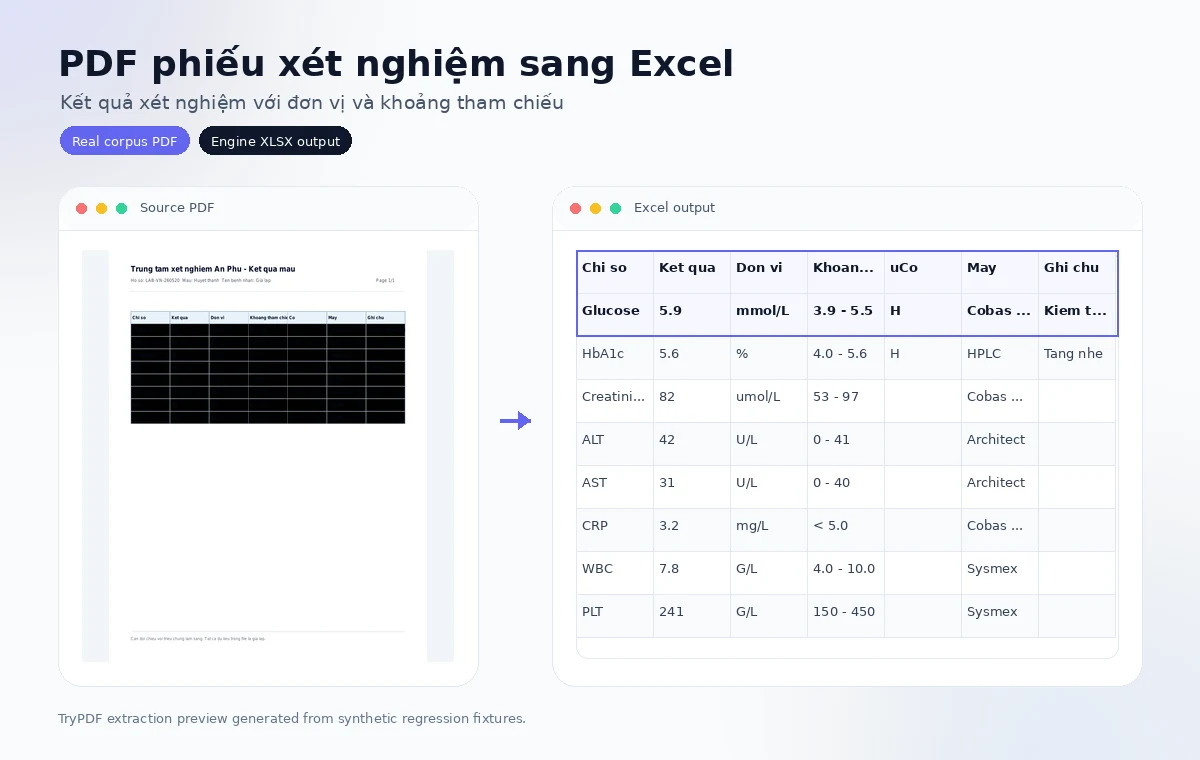
Built for private business documents
- Async conversion keeps large PDF processing out of the browser request.
- Source PDFs and Excel outputs are cleaned up automatically by retention jobs.
- The public page shows simple review guidance; detailed telemetry stays internal.
Real extraction previews
Corpus-backed PDF to Excel examples
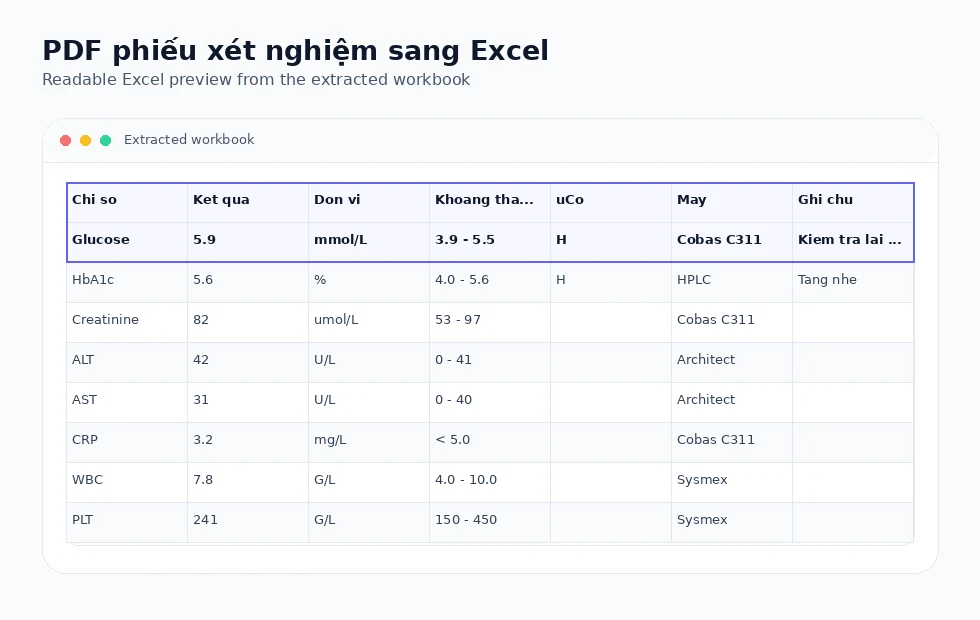
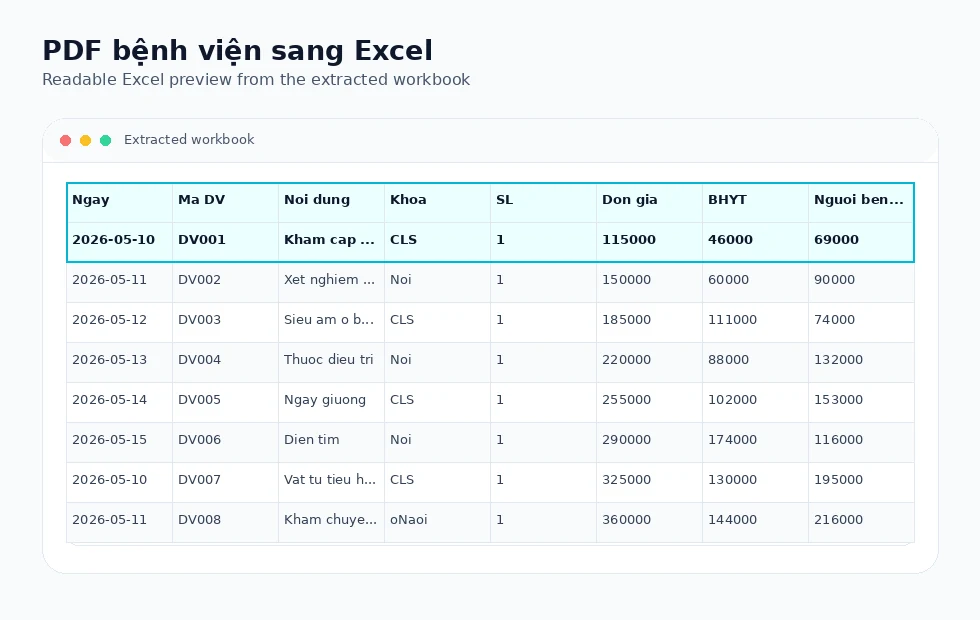
These visuals use synthetic regression PDFs and the actual Excel outputs produced by the TryPDF extraction engine.
Readable before-and-after output
PDF lab rows become editable Excel cells for review and reconciliation.
Units and ranges preserved
Result, unit, reference range, abnormal flag, and note columns are kept separate when the source table is clear.
Fast, no login required
Upload the PDF and let the background conversion finish without account creation.
Extraction technology
How lab-table extraction works
TryPDF uses text positions, table borders, and merged-cell geometry to write lab tables into .xlsx format.
Unit and reference columns
Unit and reference range columns are written separately to keep review workflows clear.
Conservative merged-cell handling
Header or section merges are kept only when the PDF geometry is trustworthy.
Multi-page report cleanup
Repeated headers can be cleaned from long reports when duplicates are clear.
No OCR guessing
Scanned lab reports fail cleanly rather than fabricating results from images.
Supported layout families
Built for real PDF table structures
TryPDF is designed around common table layouts seen in school, clinic, hospital, and office PDF reports.
Grouped headers
Parent and child header rows can be preserved when the PDF exposes reliable table geometry.
Landscape reports
Wide exports with many columns are handled without asking users to choose a special mode.
Merged cells
Trusted merged title, header, and section cells are kept while suspicious body merges are treated carefully.
Multi-page tables
Repeated continuation headers can be cleaned when they clearly duplicate the first table.
Common use cases
Useful for education, healthcare, and admin teams
These landing pages focus on practical PDF-to-Excel workflows instead of generic file-conversion claims.
Schools
Convert score tables, student lists, attendance sheets, and exam reports into editable Excel files.
Clinics
Review patient lists, lab result tables, and operational reports when the PDF is text-based.
Hospitals
Work with billing details, service tables, and multi-page healthcare admin exports.
Office teams
Turn landscape reports, grouped tables, and recurring admin PDFs into structured spreadsheets.
Supported examples
- Text-based lab result tables
- Result, unit, reference range, flag, method, and note columns
- Merged headers and section labels when reliable
- Healthcare admin tables exported from systems
Limitations to know
- Do not treat extracted spreadsheets as clinical verification.
- Scanned/image-only reports require OCR, which is not enabled yet.
- Review values before importing them into another system.
Related workflows
Explore connected PDF-to-Excel use cases
Compare nearby conversion workflows when your document mixes invoices, statements, reports, or operational tables.
Convert lab results to Excel
Upload a text-based lab result PDF and receive an Excel workbook with readable columns.
Convert a lab result PDFFrequently asked questions
Can units and reference ranges be preserved?
Yes, when the PDF exposes them as clear text-based columns.
Can scanned lab reports be converted?
Not yet. Scanned PDFs are detected and rejected cleanly until OCR is enabled.
Is private medical telemetry exposed publicly?
No. Public pages show simple status messages; detailed telemetry stays internal.