Landscape PDF table to Excel
Convert wide landscape PDF reports into Excel
Extract operational reports, financial summaries, and ERP exports that use landscape pages, wide tables, grouped numeric sections, and repeated headers.
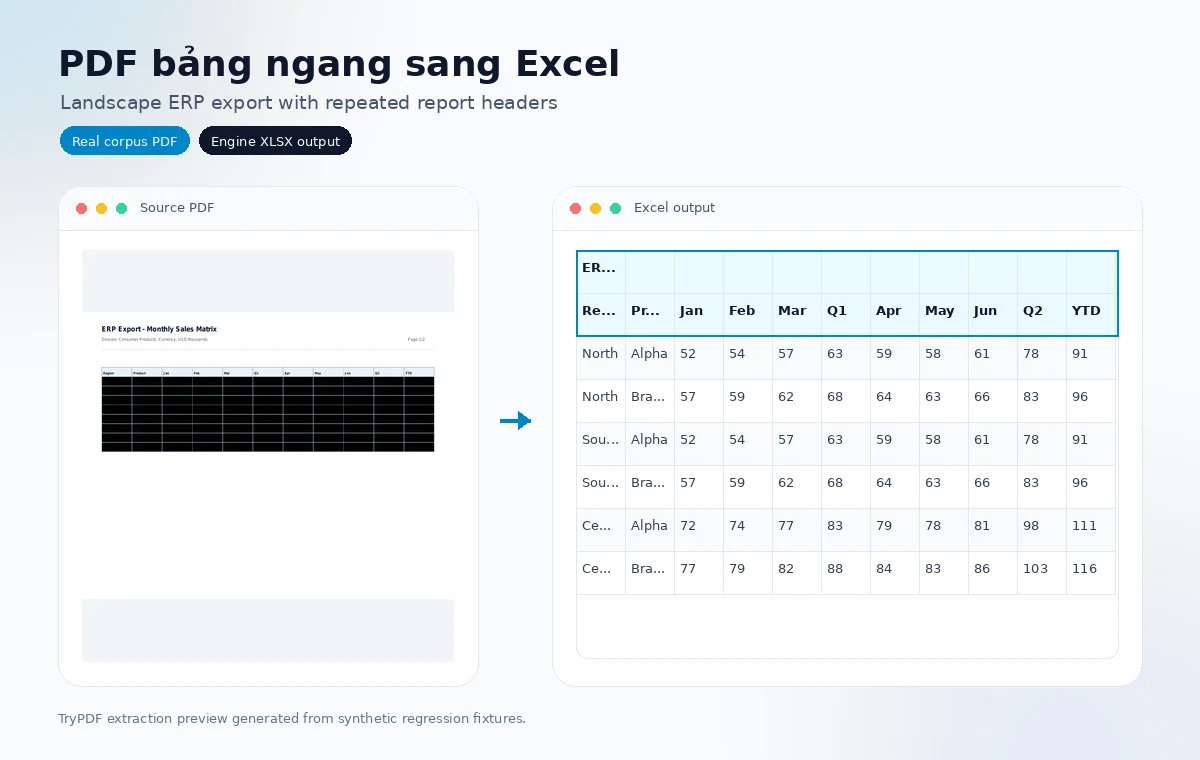
Built for private business documents
- Async conversion keeps large PDF processing out of the browser request.
- Source PDFs and Excel outputs are cleaned up automatically by retention jobs.
- The public page shows simple review guidance; detailed telemetry stays internal.
Real extraction previews
Corpus-backed PDF to Excel examples
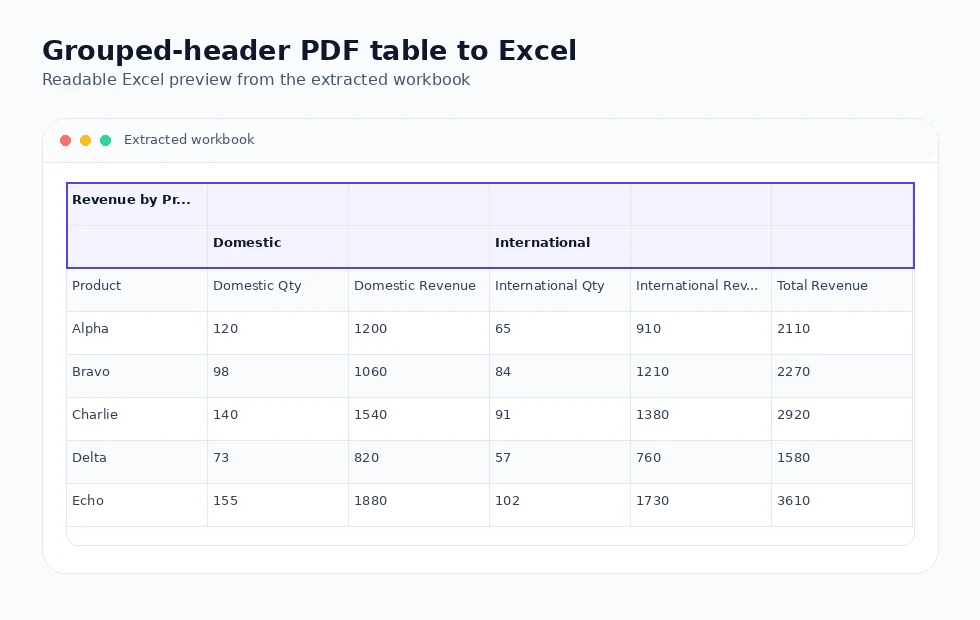
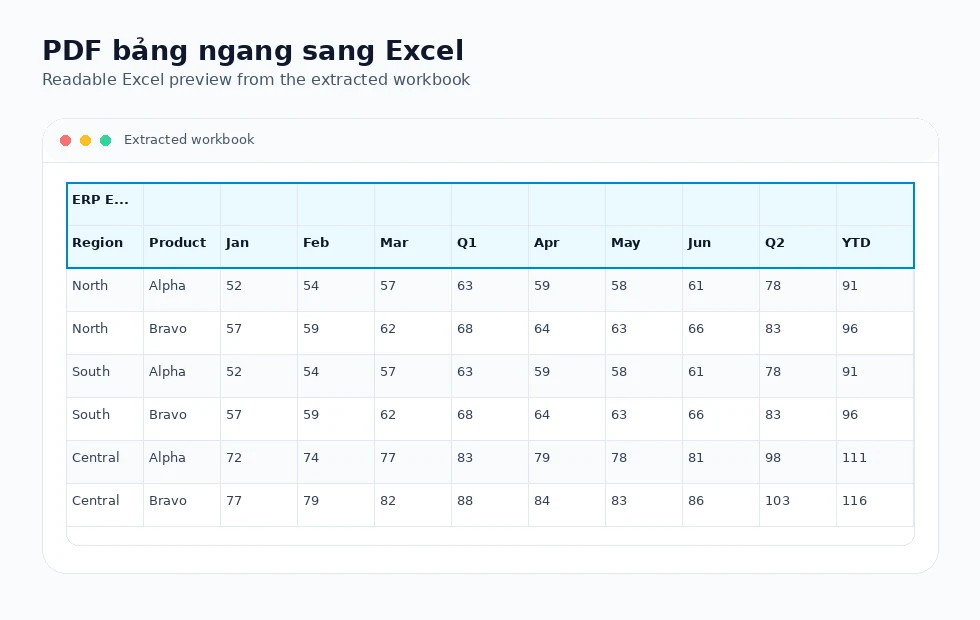
These visuals use synthetic regression PDFs and the actual Excel outputs produced by the TryPDF extraction engine.
Wide table support
The extractor detects wide layouts and preserves numeric alignment across many columns.
Grouped numeric sections
Grouped headers such as Actual/Forecast or Domestic/International can be preserved when the PDF geometry is reliable.
Continuation cleanup
Repeated page headers on multi-page wide reports are removed when they clearly duplicate earlier structure.
Extraction technology
How landscape report extraction works
Landscape pages require careful row grouping and merge handling so wide columns do not drift or collapse.
Orientation signals
The engine detects landscape and wide-table layouts from page and column geometry.
Merge safeguards
Suspicious body merge explosions are suppressed while title and trusted header merges are preserved.
Grouped header preservation
Parent header spans are kept for wide grouped reports when merge confidence is strong.
Stable Excel output
The workbook remains editable and reviewable without exposing internal layout counters to users.
Supported layout families
Built for real PDF table structures
TryPDF is designed around common table layouts seen in school, clinic, hospital, and office PDF reports.
Grouped headers
Parent and child header rows can be preserved when the PDF exposes reliable table geometry.
Landscape reports
Wide exports with many columns are handled without asking users to choose a special mode.
Merged cells
Trusted merged title, header, and section cells are kept while suspicious body merges are treated carefully.
Multi-page tables
Repeated continuation headers can be cleaned when they clearly duplicate the first table.
Common use cases
Useful for education, healthcare, and admin teams
These landing pages focus on practical PDF-to-Excel workflows instead of generic file-conversion claims.
Schools
Convert score tables, student lists, attendance sheets, and exam reports into editable Excel files.
Clinics
Review patient lists, lab result tables, and operational reports when the PDF is text-based.
Hospitals
Work with billing details, service tables, and multi-page healthcare admin exports.
Office teams
Turn landscape reports, grouped tables, and recurring admin PDFs into structured spreadsheets.
Supported examples
- Landscape accounting exports
- ERP and operational reports
- Wide financial summaries
- Grouped numeric column sections
Limitations to know
- Very dense reports may need manual column-width adjustment in Excel.
- Image-only landscape scans are not converted.
- Unclear or overlapping PDF text may reduce extraction quality.
Related workflows
Explore connected PDF-to-Excel use cases
Compare nearby conversion workflows when your document mixes invoices, statements, reports, or operational tables.
Convert a wide report to Excel
Upload a text-based landscape PDF and download an editable workbook when processing completes.
Convert a landscape PDFFrequently asked questions
Does the PDF need to be rotated first?
No. The extractor detects landscape/wide layouts without physically rotating the PDF.
Can grouped headers be preserved?
Yes, when the source PDF exposes reliable header merge geometry.
Will repeated headers stay on every page?
High-confidence repeated continuation headers are cleaned after the first occurrence.